Instant, Flawless Cutouts with an AI Background Remover
Offline, lightning-fast batch processing with GPU acceleration for Windows.

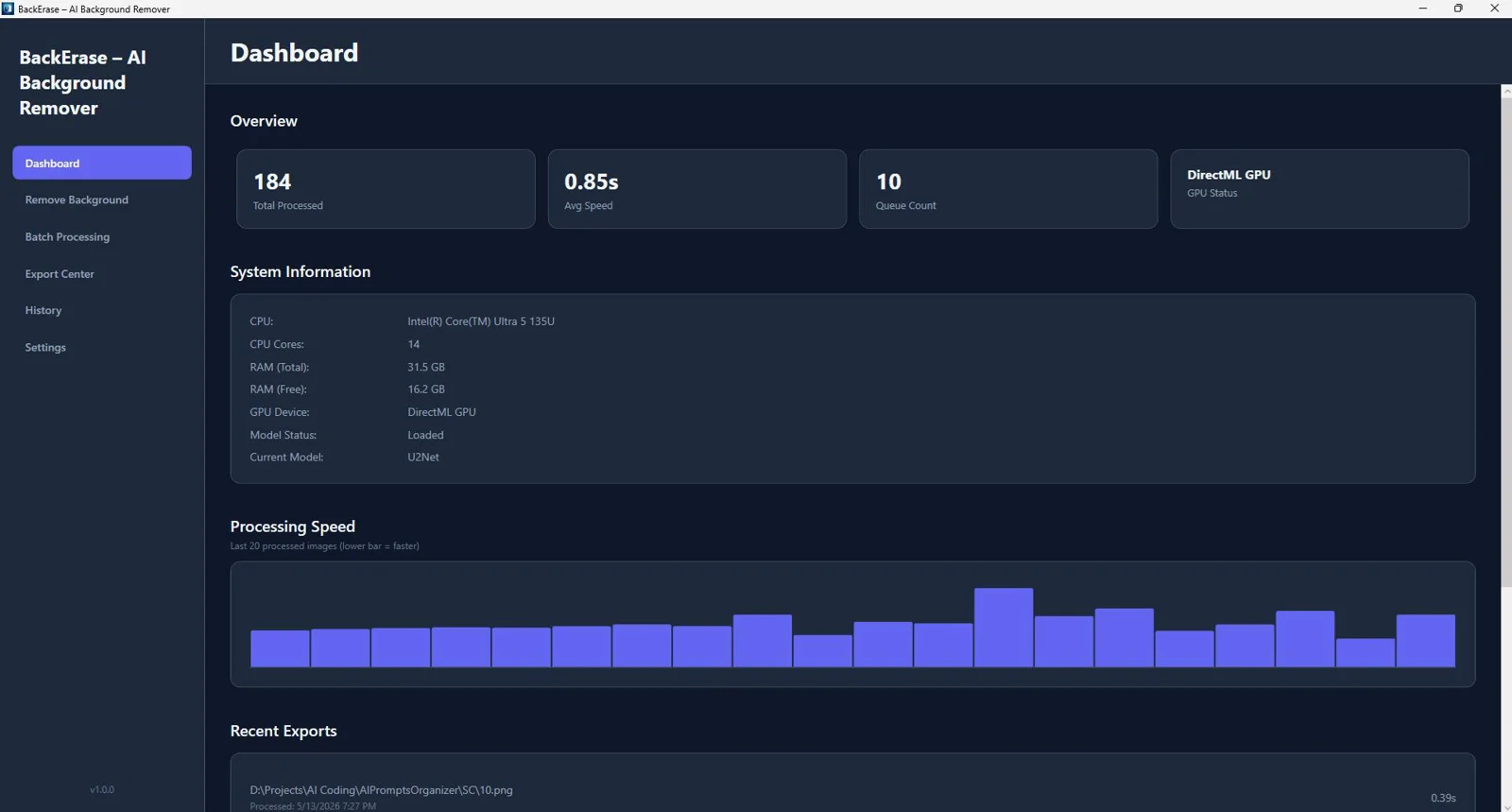
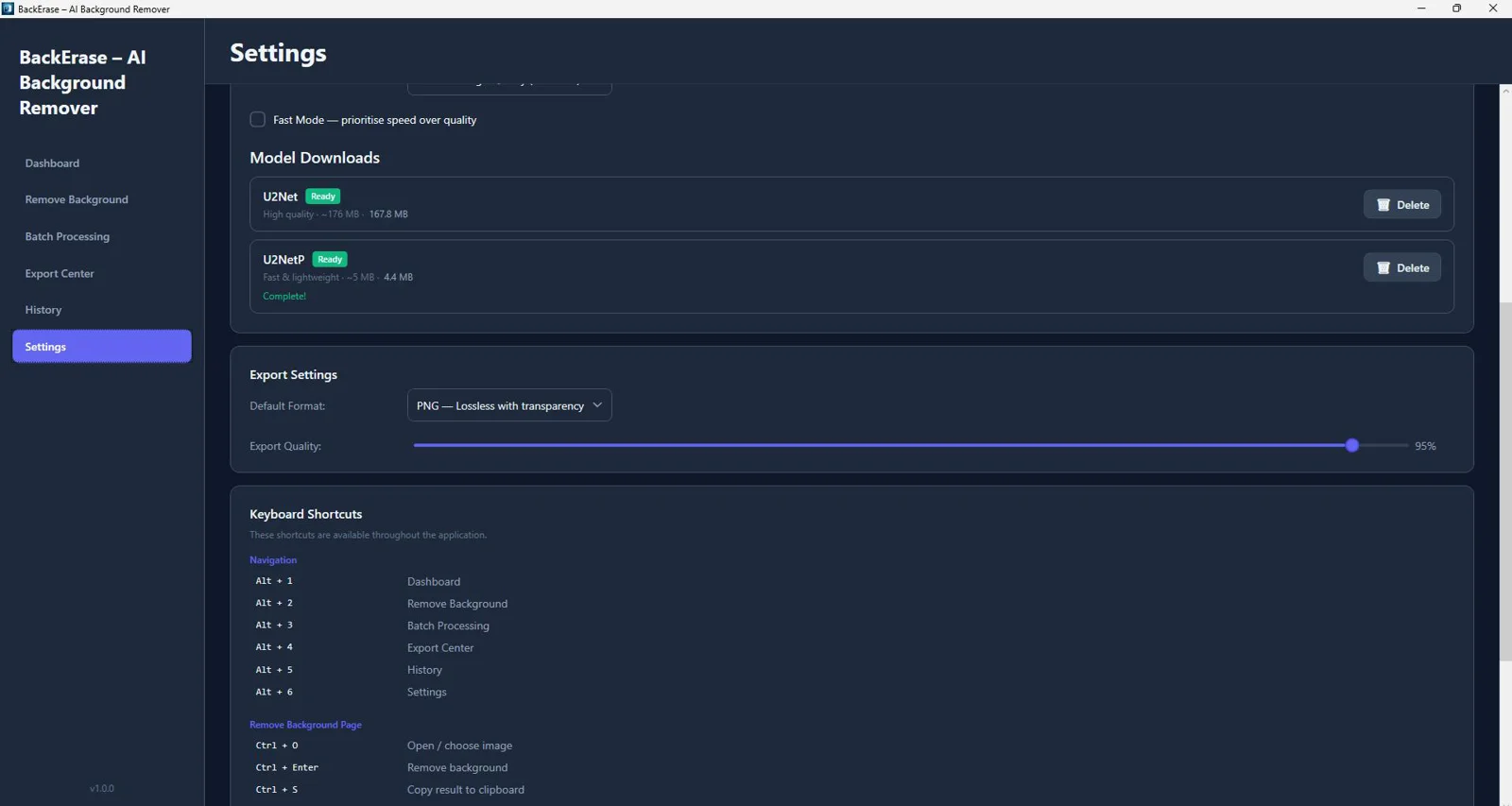
See BackErase – AI Background Remover in Action

Tired of wasting hours masking images and fixing messy edges?
Slow, inconsistent tools and pay-per-image services are killing your workflow—and your margins.
- Manual selection takes forever—especially around hair, fur, and fine details.
- Cloud tools risk privacy and force you to upload every image.
- Batch jobs crawl or crash, derailing production schedules.
- Inconsistent cutouts create rework and missed listing deadlines.
- Edge halos and jagged lines ruin product photos on marketplaces.
- Switching apps to replace backgrounds and export variants wastes time.
- Pay-per-image or API fees eat into already thin margins.
- No reliable offline option when traveling or on secure networks.
- Lack of real-time feedback makes fine-tuning guesswork.
- Exports that don’t meet marketplace specs cause costly rejections.
Remove Backgrounds 10x Faster—Download Now
Fully offline, GPU-accelerated batch processing with spec-ready exports.

Powerful Features
Everything You Need to Work Smarter, Instantly
AI Background Removal (U2Net & U2NetP ONNX)
State-of-the-art models isolate subjects automatically for clean, accurate cutouts—even on hair and complex edges.
Fully Offline Processing (No API Required)
Work securely on your PC with zero uploads, ideal for sensitive content and air-gapped workflows.
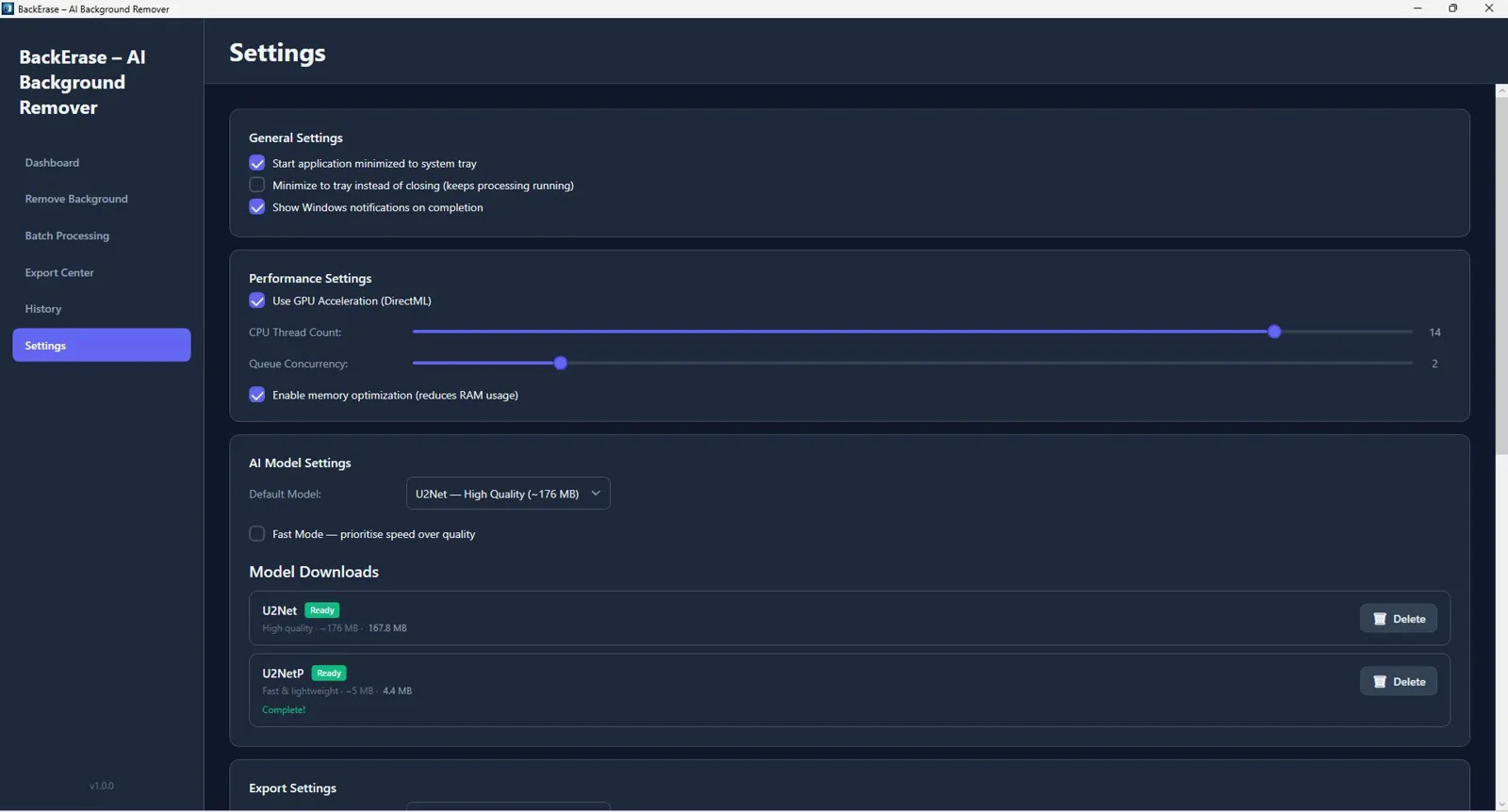
GPU Acceleration (DirectML) + CPU Mode
Harness your Windows GPU for real speed; automatic CPU fallback keeps you productive on any machine.
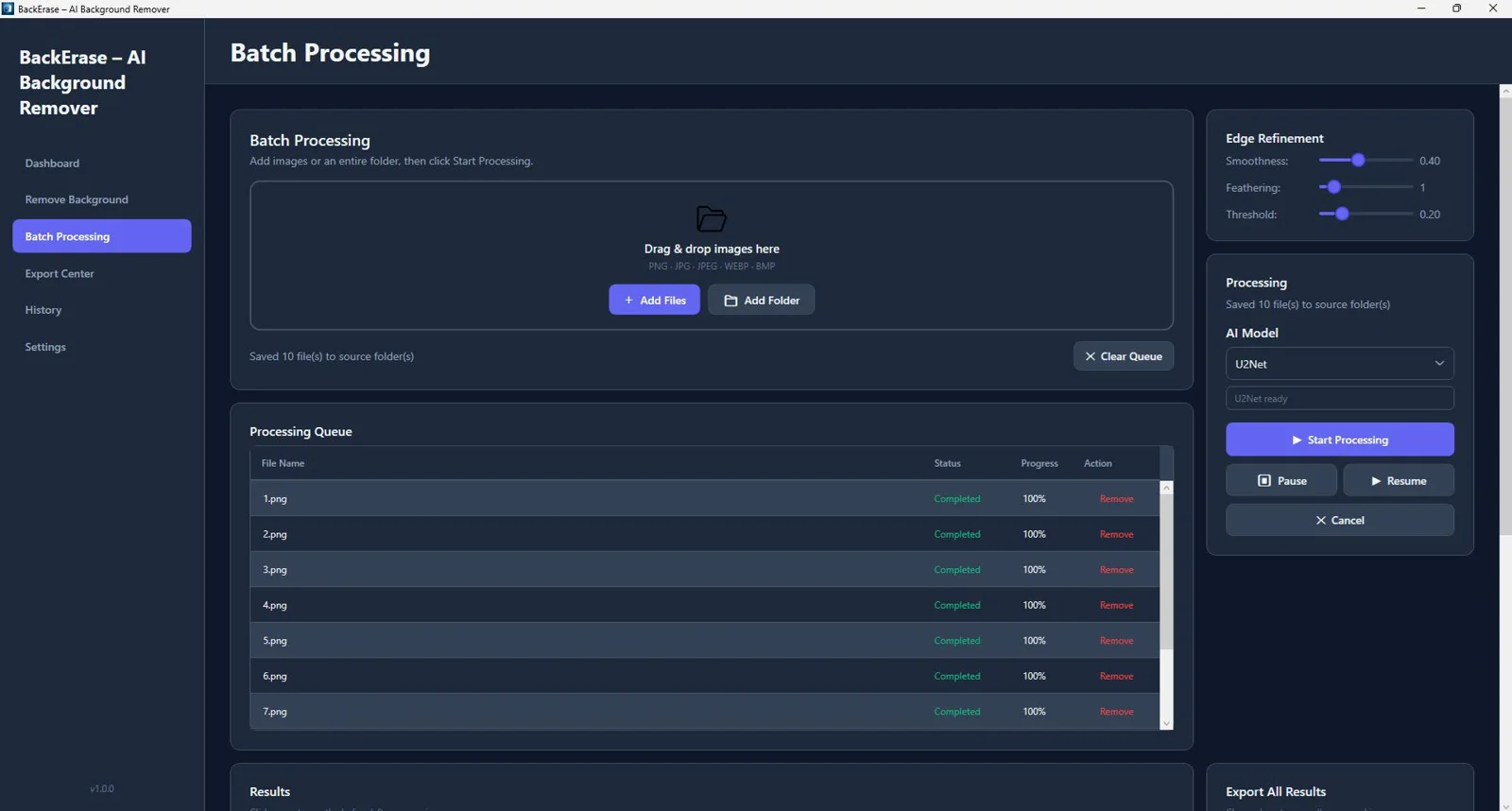
Batch Image Processing with Queue System
Process entire folders at once using a reliable queue built for high-volume production.
Drag & Drop Support
Drop images in and go—no complicated setup or learning curve.
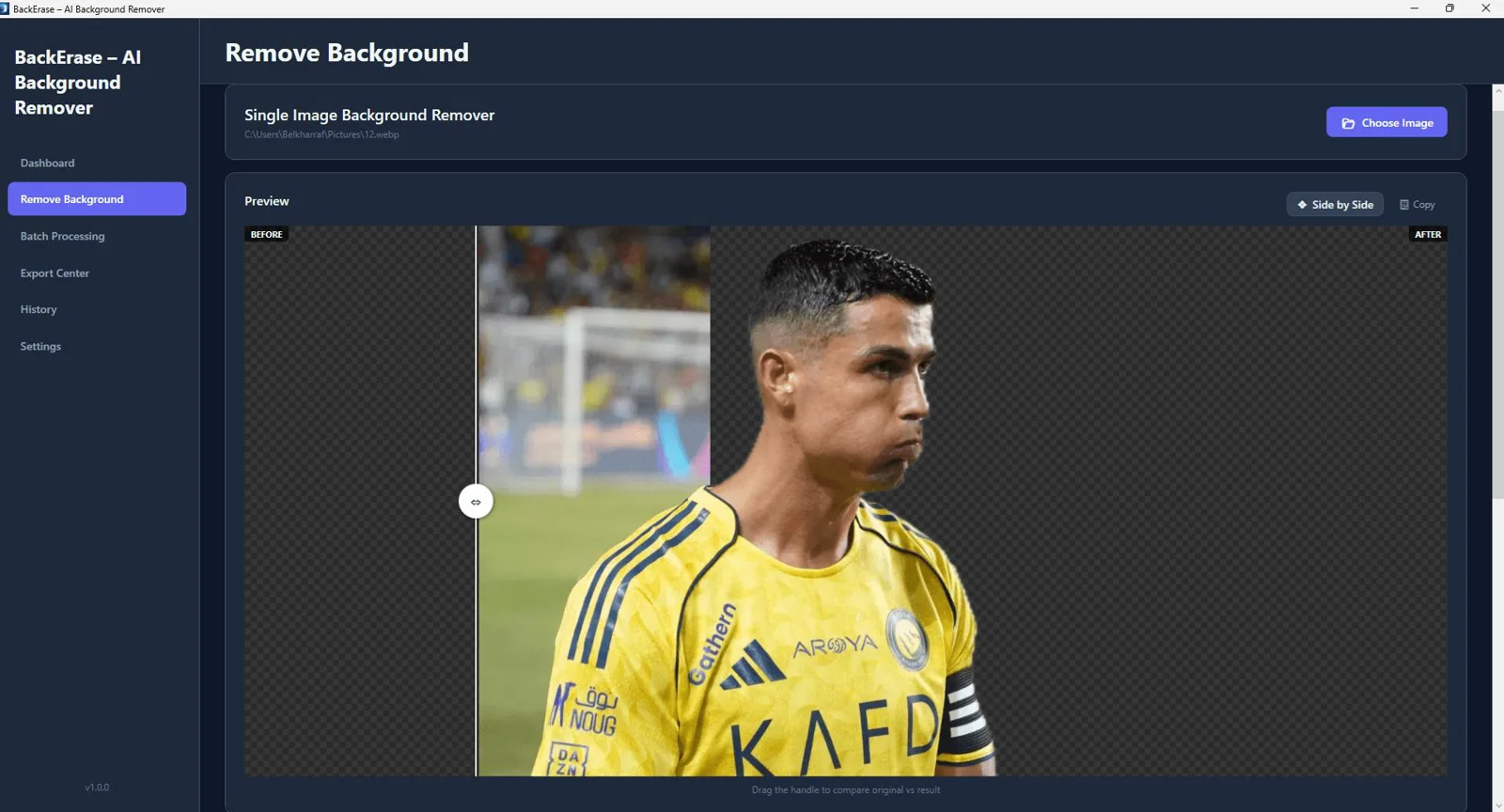
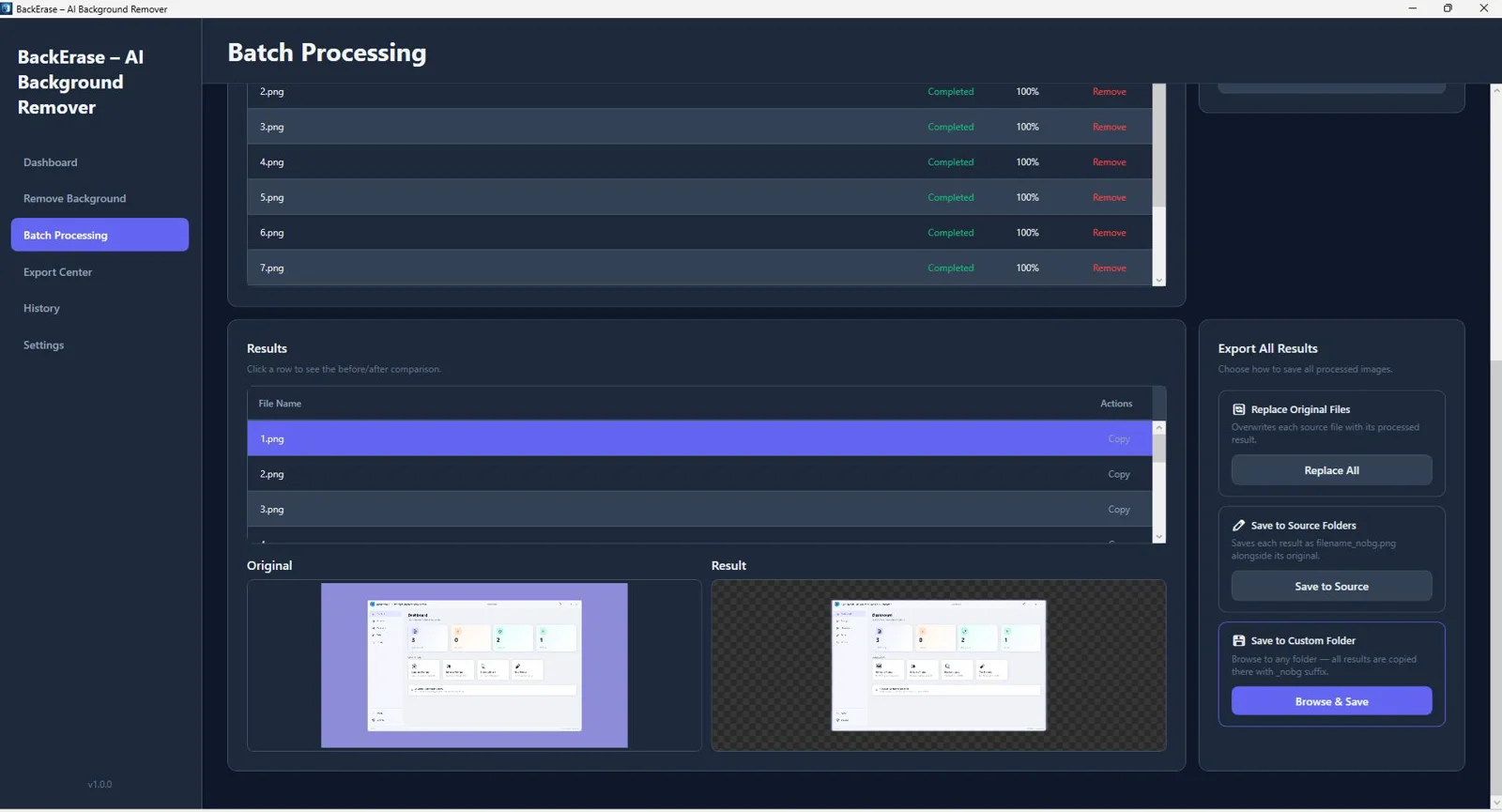
Before/After Comparison Slider
Instantly verify results and fine-tune without guesswork.
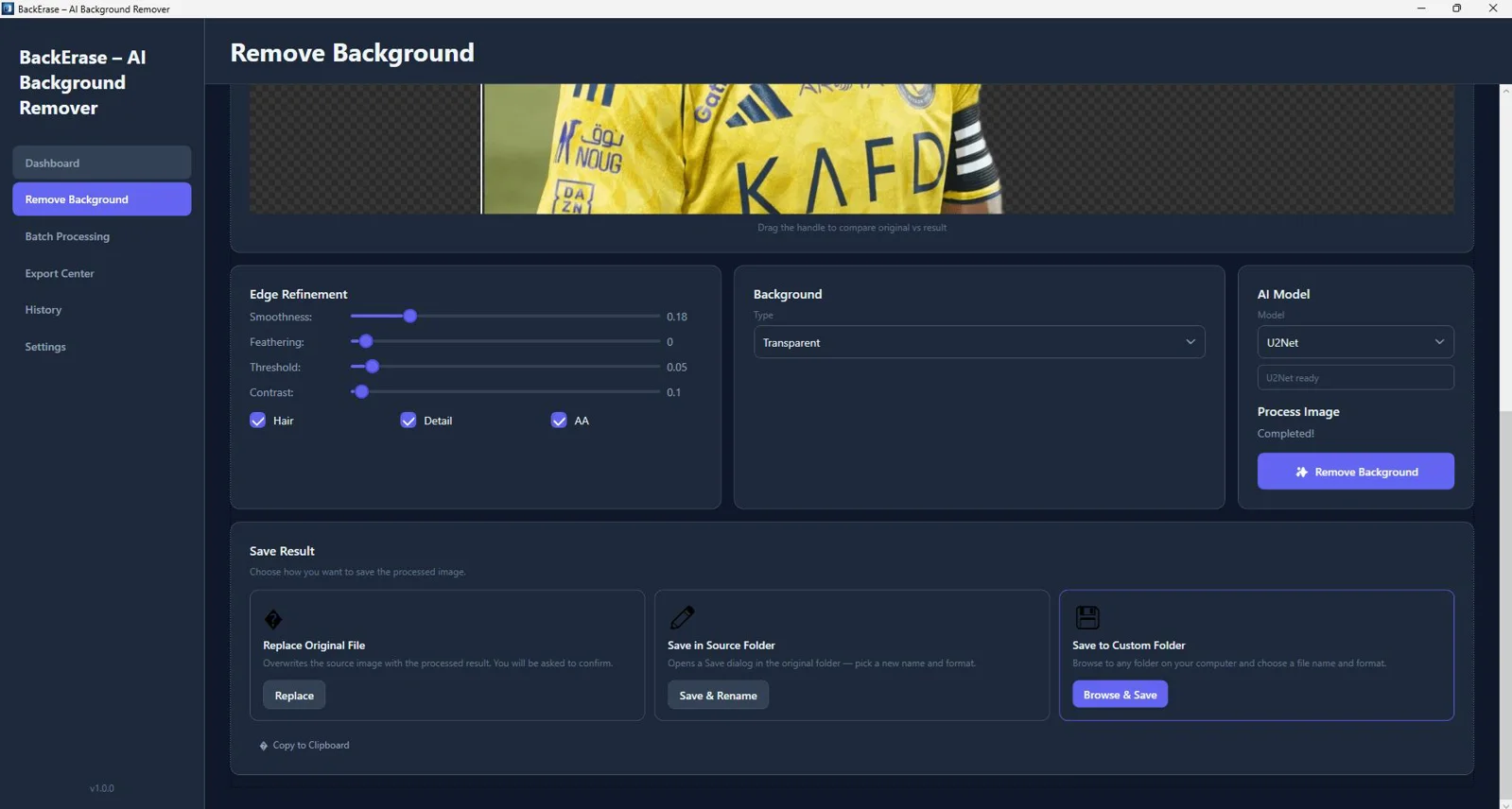
Edge Refinement (Hair & Fine Detail Enhancement)
Dial in delicate edges to remove halos and preserve natural, lifelike detail.
Background Replacement (Color, Gradient, Image, Blur)
Swap backgrounds in a click to match brand palettes, studio looks, or subtle depth-of-field blur.
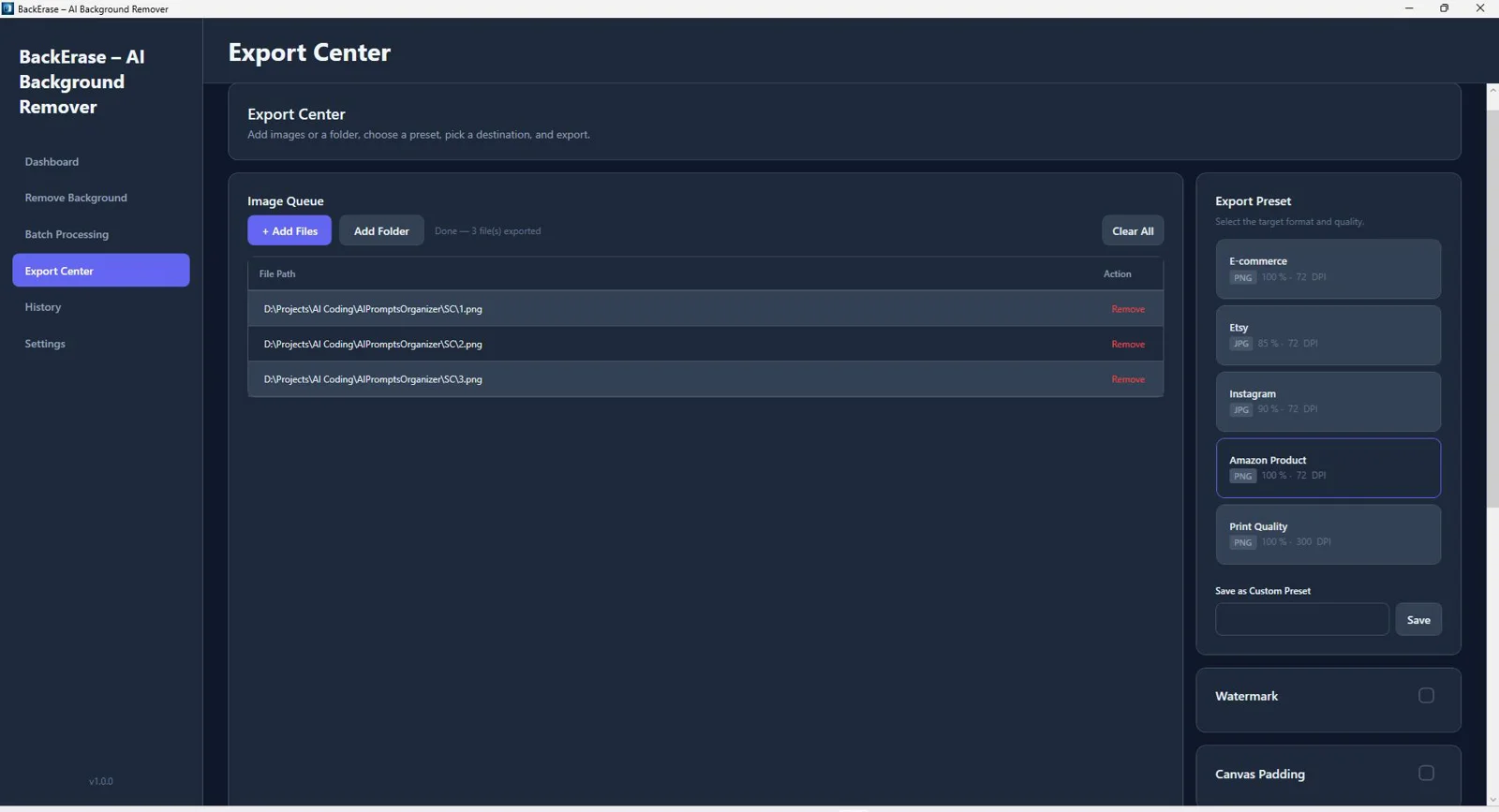
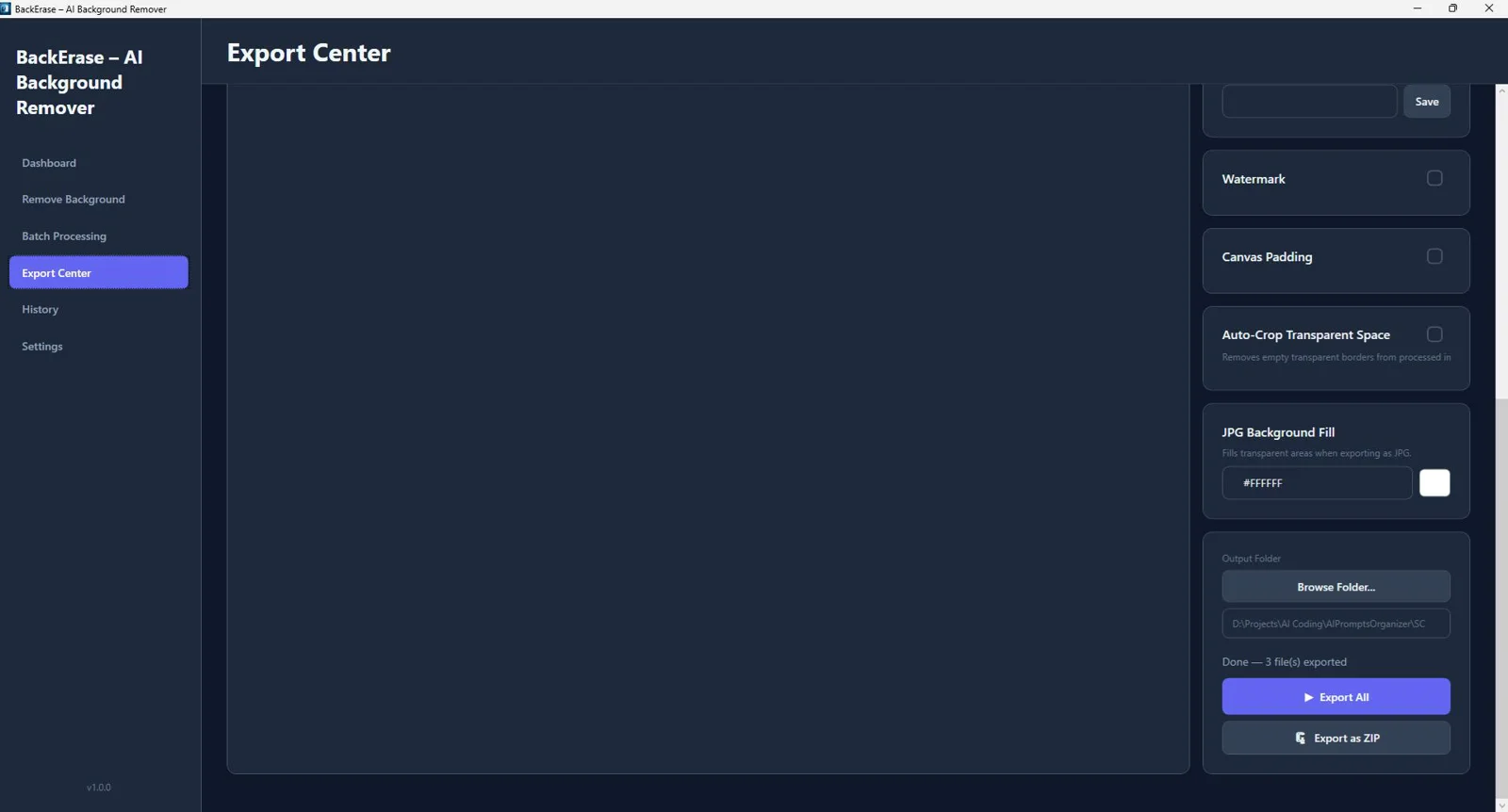
Export Presets (Ecommerce, Etsy, Amazon, Instagram)
One-click presets deliver marketplace-ready outputs that meet common spec requirements.
PNG Transparency Support
Export clean PNGs with alpha channels for seamless compositing and design workflows.
Copy to Clipboard
Send results straight into your design app with a single click.
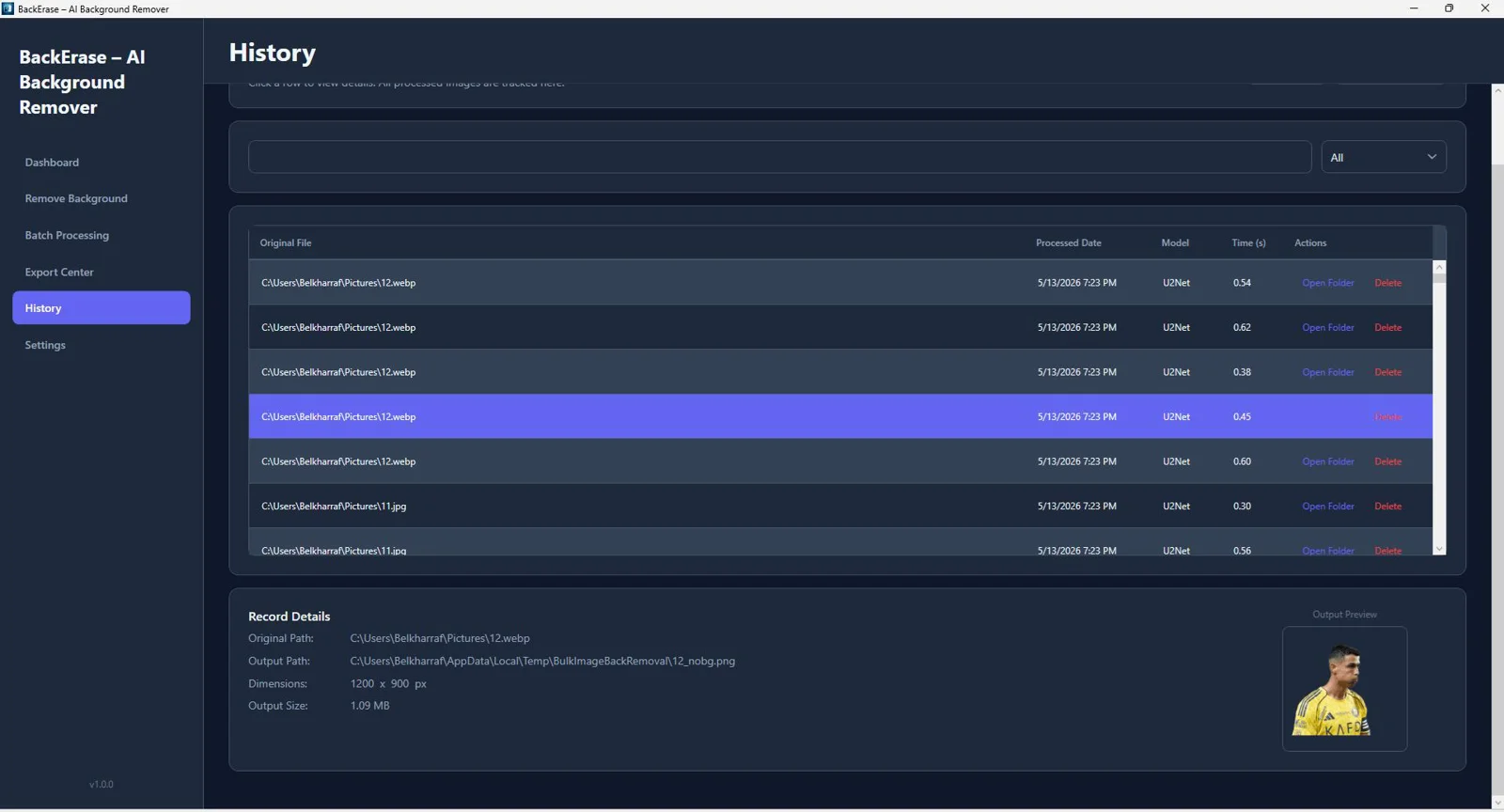
History Tracking System
Quickly revisit previous results to restore or re-export without reprocessing.
Export Optimization Tools
Optimize quality and file size for fast-loading product pages and social posts.
Real-Time Preview
See changes as you work to fine-tune faster and with confidence.
Modern WPF Interface
A clean, responsive Windows UI designed for speed, focus, and productivity.
See BackErase – AI Background Remover in Action
Click on any screenshot to view it in full size
Remove Backgrounds 10x Faster—Download Now
Fully offline, GPU-accelerated batch processing with spec-ready exports.
Our reputation, built by our users.
Great work and tools
"Great work and tools. Customer service was great!"
I recommand strongly
"Greate tools and support"
Excellent Customer Service
"After signing up and making payment I had a couple of queries... the response was extremely quick."
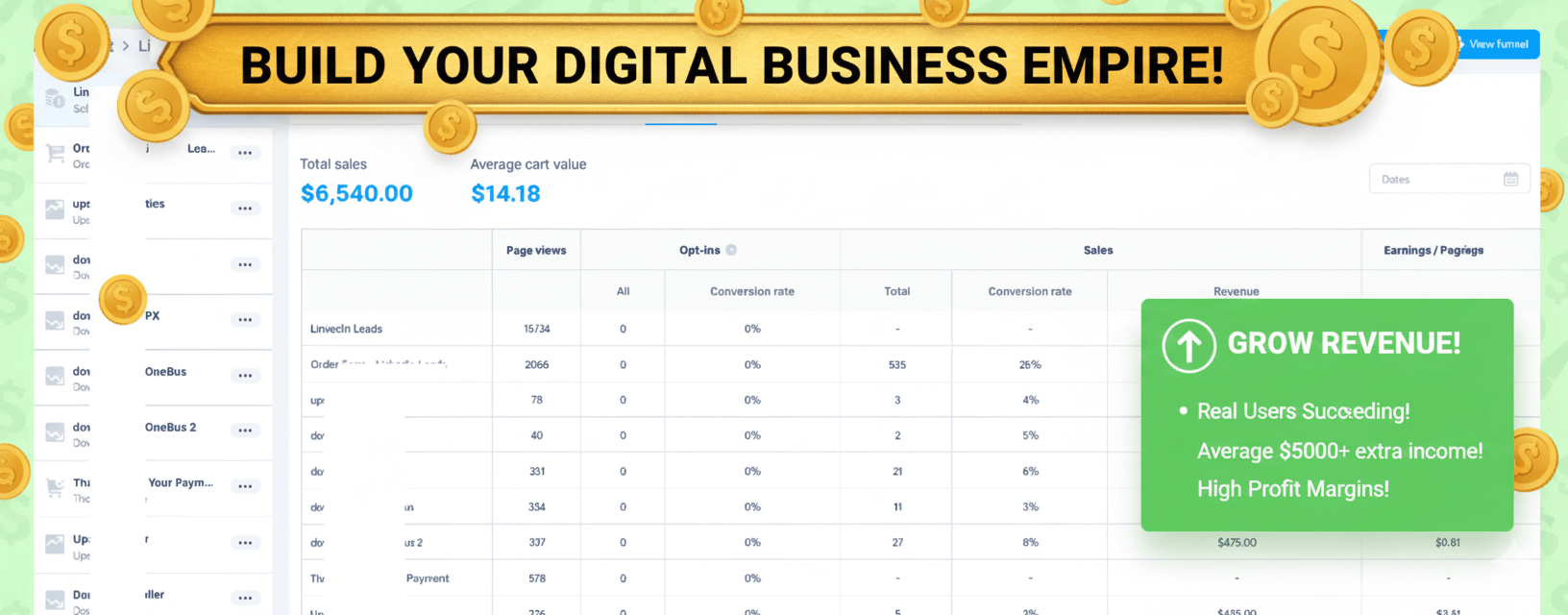
Stop watching from the sidelines.
Others are banking hundreds of $$$ right now.
When you purchase today, you don't just get a tool—you get a full digital business. With included Full Reseller Rights and your own Private Reseller Panel, you can start selling licenses and keeping 100% of the profit immediately or sell it as a service for your clients.
Simple, One-Time Payment
Get Instant access to BackErase – AI Background Remover with no recurring fees.
🔥 Limited Offer Ends Soon!
BackErase – AI Background Remover
- Personel license( 2PCs)
- Free updates and upgrades
- Free customer support (email & chat)
- Commercial use rights
- Instant download access
- Ready-to-sell setup included
- Works on Windows 10/11
- Detailed video tutorials included
- Verified and malware-free software
Frequently Asked Questions
Yes. All processing happens locally on your Windows PC—no internet, no API keys, and no uploads.
No. It accelerates with DirectML on supported GPUs, and automatically falls back to CPU mode when needed.
Absolutely. Use the built-in queue to process large batches quickly and reliably.
Exceptional edge refinement enhances hair, fur, and intricate edges to reduce halos and preserve natural detail.
Yes. Choose solid colors, gradients, custom images, or a tasteful blur to create on-brand results.
Yes. Export presets help you create spec-ready images for Amazon, Etsy, Instagram, and general ecommerce.
Yes. Export PNGs with alpha transparency for seamless compositing in your design tools.
Yes. Use Copy to Clipboard to paste images directly into your design or editing software.
Recent Purchase
Loading...
Remove Backgrounds 10x Faster—Download Now
Fully offline, GPU-accelerated batch processing with spec-ready exports.